MyWay
Changelog
New features, improvements and fixes in MyWay Route Planner.
Version 3.0.7
iPhone ·
New
- Stop form: A button on the mini-map, next to the address, lets you move the stop to another place.
- Stop details: Change Address, Edit, Skip, Revert and Delete are now in an Actions section instead of a menu in the header.
Improved
- Search: Matching recent places show up again as you type an address, as they did in MyWay 2.
- Search: Voice input, address scanning and your saved places are in a menu right in the address field, including the start and end fields.
- Search: When you add stops one after another, each result has a + button, and search stays open.
- Search: If you scan an address without a house number, the keyboard comes back so you can type it.
- Search: The keyboard opens together with the search screen when you add a stop.
- Saved routes: Each route shows its number of stops, distance and time again. A completed route shows how many stops were done.
- Stop details: Notes are always shown and can be edited right there.
- Stop form: A completed stop shows a "Stop Completed" banner, and its place, priority and time window can no longer be changed by mistake.
- Route: Skip and Revert ask you to confirm before they change a stop.
Fixed
- Search: Addresses with a one-letter typo are found again with Apple search, as in MyWay 2.
- Search: An address you scan with the camera stays in the field when it leaves the frame, so you have time to pick a result.
- Stop form: The Apply to All Stops button for Time at Stop is back on iOS 18.
- Route: After you change a stop's address on a route in progress, the map no longer leads to the old place.
- Updating from MyWay 2: Updating from an early MyWay 2 version no longer fails at every launch, and your places, routes and settings carry over.
- Updating from MyWay 2: Routes from 2022 now carry over too. If you already updated, the missing routes are brought over on the next launch.
Version 3.0.5
iPhone ·
Improved
- Search: Places, Contacts, List, Scan, Voice and Import are now a row of icons right under the search field, and your recent places show as soon as you start adding a stop.
- Contacts: Swiping the contacts list down now closes it instead of refreshing it.
Fixed
- Sync: Some routes and saved places brought in from the old app, an import or your contacts didn't sync, and their reports and shared route links failed. They work now.
Version 3.0.2 · iPhone ·
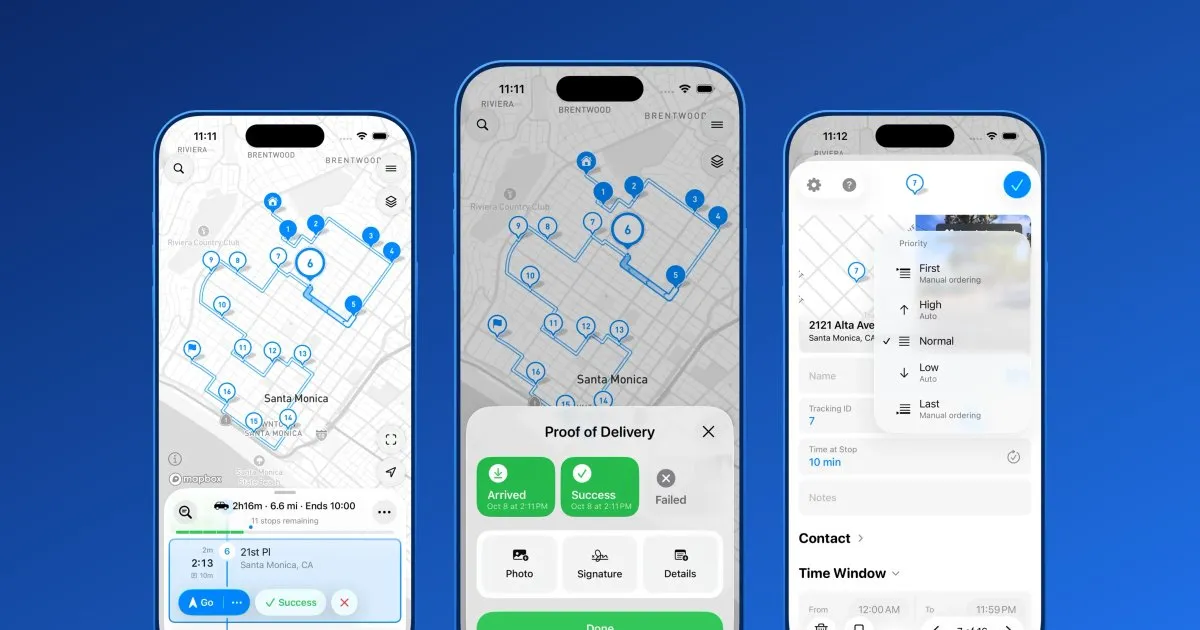
The all-new MyWay 3
One-tap navigation and a Live Widget, linked pickup and drop-off stops, photo proof of delivery, stop priorities and a fresh design.
New
- Navigation: send the whole route to your navigation app in one tap, or follow step-by-step guidance in the new Live Widget. More navigation apps are supported.
- Pickup and delivery: link a pickup stop to its drop-off, so the route always picks up first.
- Proof of delivery: attach several photos to a stop and set your own delivery statuses.
- Stop priority: mark a stop First, High, Normal, Low or Last.
- Route options: avoid unpaved roads.
- Contacts: a website field.
- Design: a fresh Liquid Glass look.
Get MyWay Route Planner Now!
MyWay app helps you to build efficient routes: about 32% shorter on average, saving your time and money on fuel
Rated 4.8 out of 54.8 rating on the App Store